Showing posts with label production planning. Show all posts

Wednesday

Penance Trailer - Draft Scenes


As we're now working through the post-production stage of the film trailer 'Penance', we decided to post the film trailer so far. There are scenes that may be cut out from the trailer later on but nonetheless, this is how the trailer is looking at this point in time.

We are only really at the beginning stages of editing the trailer so there may be some parts with no sound and/or no visual, because we're still deciding on what footage could be used to connect the scenes featured here.

Monday

Distortion Effects on Intertitles

This is a step by step account of how we made the distortion effect in Adobe After Effects. The main things you need for this is the font of your text (If it's not already downloaded) and a Screen Glitch loop, (which can be found here: https://www.youtube.com/watch?v=FEFcfZvz8yY).

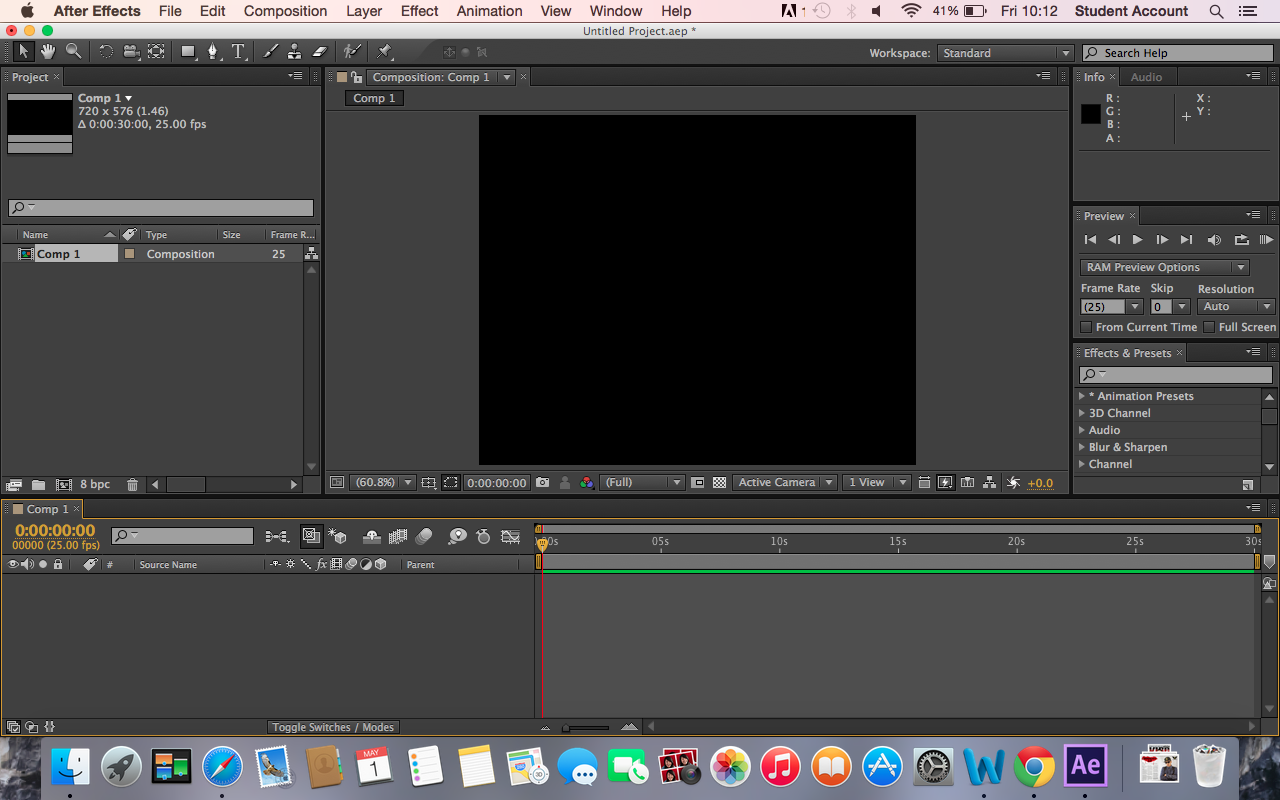
Once we downloaded the necessary font and screen glitch, we went on to After effects to prepare to import our downloads.


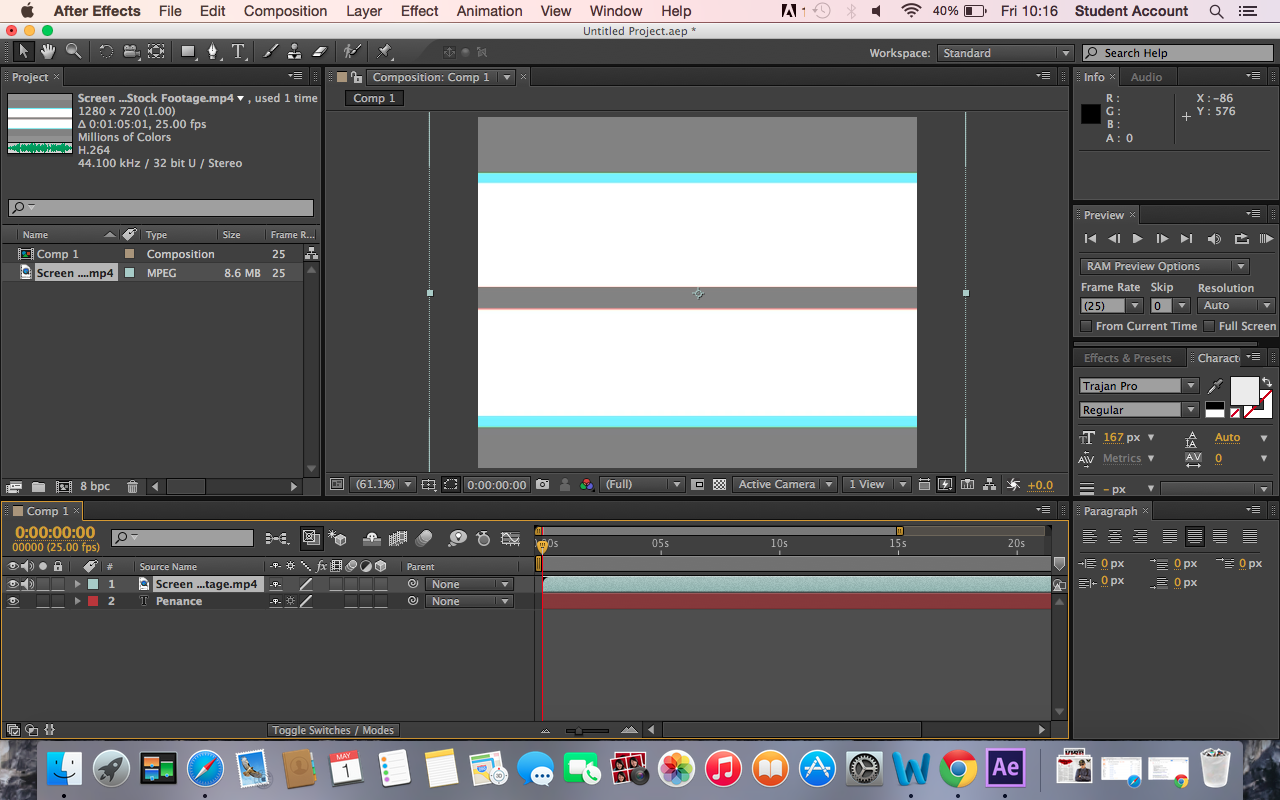
We typed the text ("PENANCE") and then added the screen glitch layer on top of the text. When this has been done you then make the screen glitch layer invisible so then we are left with just the title.


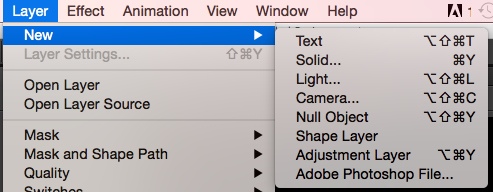
After this you then create a new adjustment layer copy of the screen glitch layer.

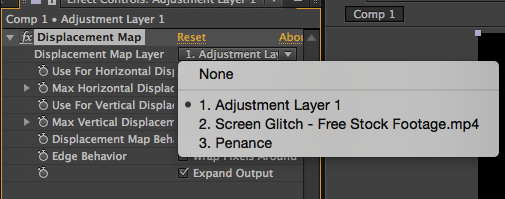
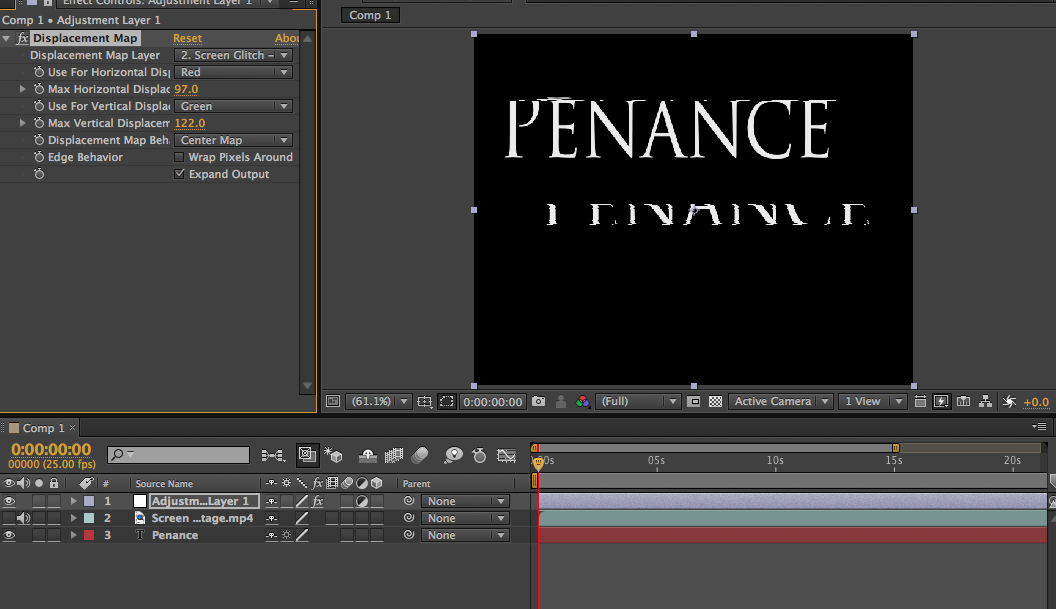
After this you then select the effect you want, since we wanted distortion you go to distort and select 'Displacement Map'.


Once selected, you go to the setting on the right and change the 1st setting from adjustment layer to the glitch screen.


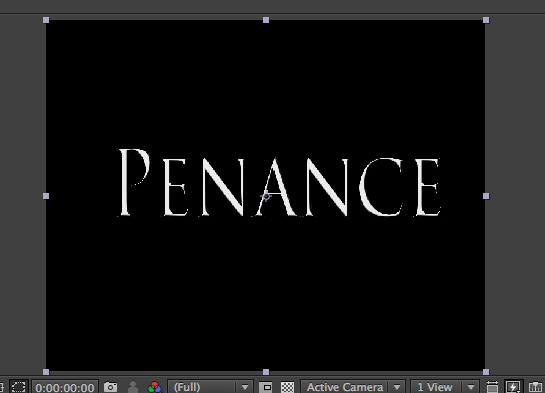
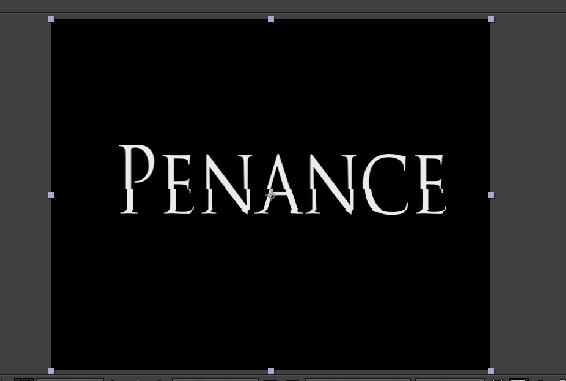
This is the difference, it changes the image from this (above) to this (below)


After this, on the settings on the left hand side, you can select how much you want the image/text to distort by. The higher the number the more violent the distortion is.

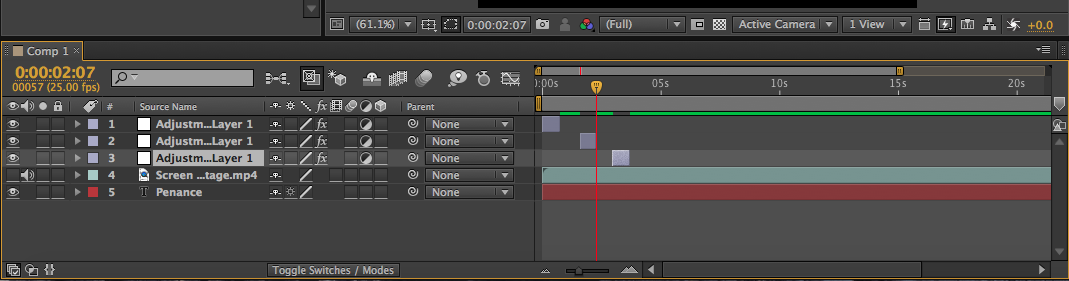
And finally, on the adjustment layer, you can shorten or extend the length of the distortion. Also by duplicating the layer (ctrl +c OR cmd +d) you can make the image/text distort several times and stop at certain sections too.

That is how we distorted our intertitles.

Saturday

Character List

Beneath are the list of characters that will be in our trailer. Some are main characters see throughout, others just passing characters that we see very briefly.


Detective Carter - Dorthea Darby
Detective Lewis - Daljit Kaur
Fr. Anthony - Eisen Eugenio
Main Victim - Ciara Gay
Potential Suspect
- Cedric Onchuru
News Reporter - Alicia Jordan
Victim 2 - Patrick Manginsay
Confessor - Chantelle Anonuevo

Wednesday

Film Plan Sheet


This is what our group has planned for the film days ahead for our upcoming film trailer 'Penance'.

Monday

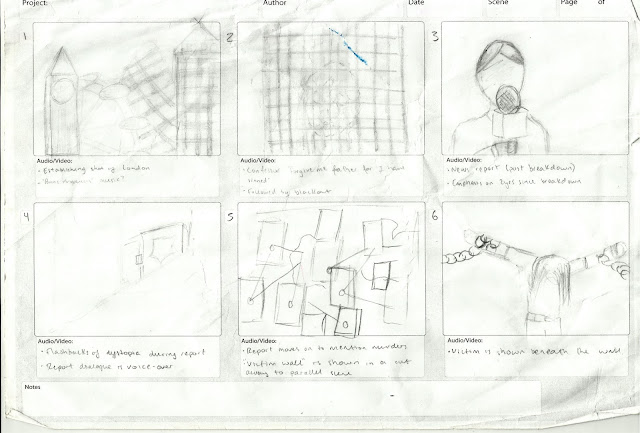
Storyboard


This was the initial storyboard we planned on sticking to for the trailer, however it has been changed in order to help introduce the characters earlier in the plot and to make a more organised structure like traditional film trailers have. Here we still bring in the establishing shot of London to present the main location as well as violence and religious iconography. We plan on keeping some of this initial planning but want to change the order or add and remove a few bits, in order to make a more thrilling trailer.

Saturday

Trailer Shot List

Establishing shots: 
·      We went Central London to get shots of London (Parliament building and bridges).
·      The Church to get the religious element of the film we needed to take shots outside and within the church.

Mid Shots:
·      The news report scene as this is typically used.
·      Also inside the church with the priest and or statues to connote the religious iconography.

Two Shots:
·      The news report interview with the priest to introduce him. 
·      The detectives at the crime scene in three different scenes to represent two parts of their relationship, their partnership and the difficulty the have.

Long Shot:
·      The chase scene with the apparent suspect. Also, we see the church and the priest to make him appear innocent and mundane.

Tracking Shot:
·      The priest walking in the church to give more detail into his character.

Shot-reverse-shots:
·      This will be used to portray the difficult relationship between the detectives only and portray one of them as a ‘fake’ suspect.

Over-the-shoulder shot:
·      This will be used to show the real suspect and their lair where they plan things.

Eye line match:
·      This will be used to show the apparent suspect loitering about before being caught.

Cutaway:
This will be use to show how society has crumbled in the dystopian society.

Hyde Productions Gmail Communication


In order to send files for the poster e.g. billing block, we used Gmail. This was useful as you could send one email to all members of the group. The billing block was something we can to share and was already done by one member of the group, so in terms of everyone having the same one we had to save the already done copy.